 English
 Язык
Язык Українська
Your shopping cart is empty!
Excel Export/Import Tool OpenCart
Not sure it will fit?
Message us — we'll check your OpenCart version and template, and reply within 15 minutes during business hours.
AI assistant
Ask anything about this module - I’ll answer clearly and to the point
0 reviews and questions Installed in 27949 stores
Бесплатно
Leave a review — 50 грн. to your account
- Turnkey installationWe set it up if you order integration
- Lifetime updatesFree access to all versions
- Telegram supportWe reply in about 5 minutes
- License without domain limitsInstall on any number of sites
Pay:


What does the module do
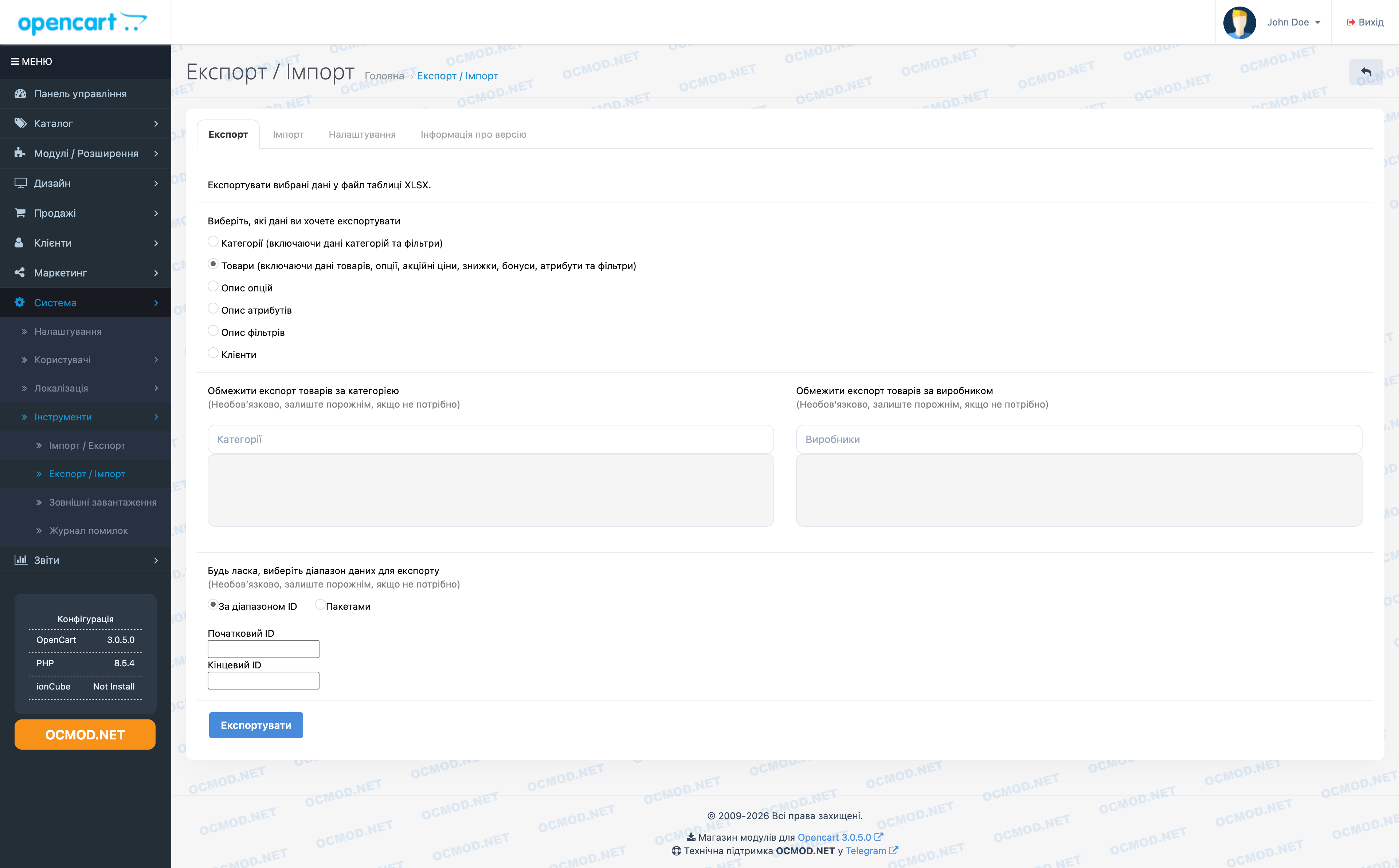
The Export/Import Tool module for OpenCart is a practical tool that helps you quickly export store data to a table and reload it just as quickly when bulk editing is required. It adds a dedicated "Export/Import" menu item to the admin panel, bringing everything together in one place: export, import, settings, and version information.
What does the module do?
- Exports data to an XLSX file.
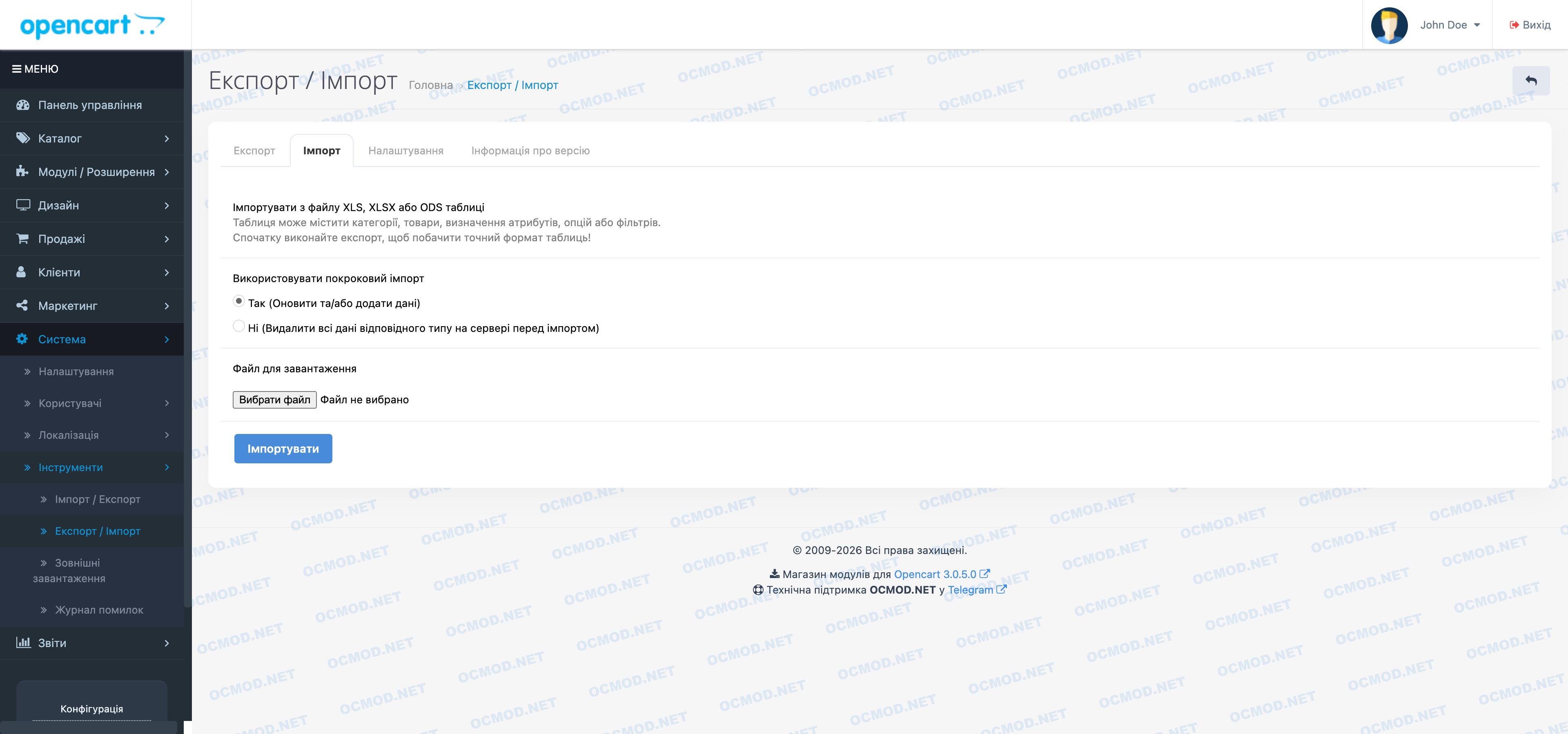
- Imports data from XLS, XLSX or ODS files.
- Supports incremental import mode (update/add) and full data replacement mode (for certain data types).
- Checks the sheet structure and headers to ensure that the import does not break the database due to an incorrect format.
What data does it work with?
Export and import are handled through separate worksheets. The module can handle:
- Categories (including descriptions, store links, layouts, status, SEO data).
- Products (main fields, description, prices, warehouse data, manufacturers, links).
- Additional product images.
- Promotions (Specials), discounts (Discounts), bonus points (Rewards).
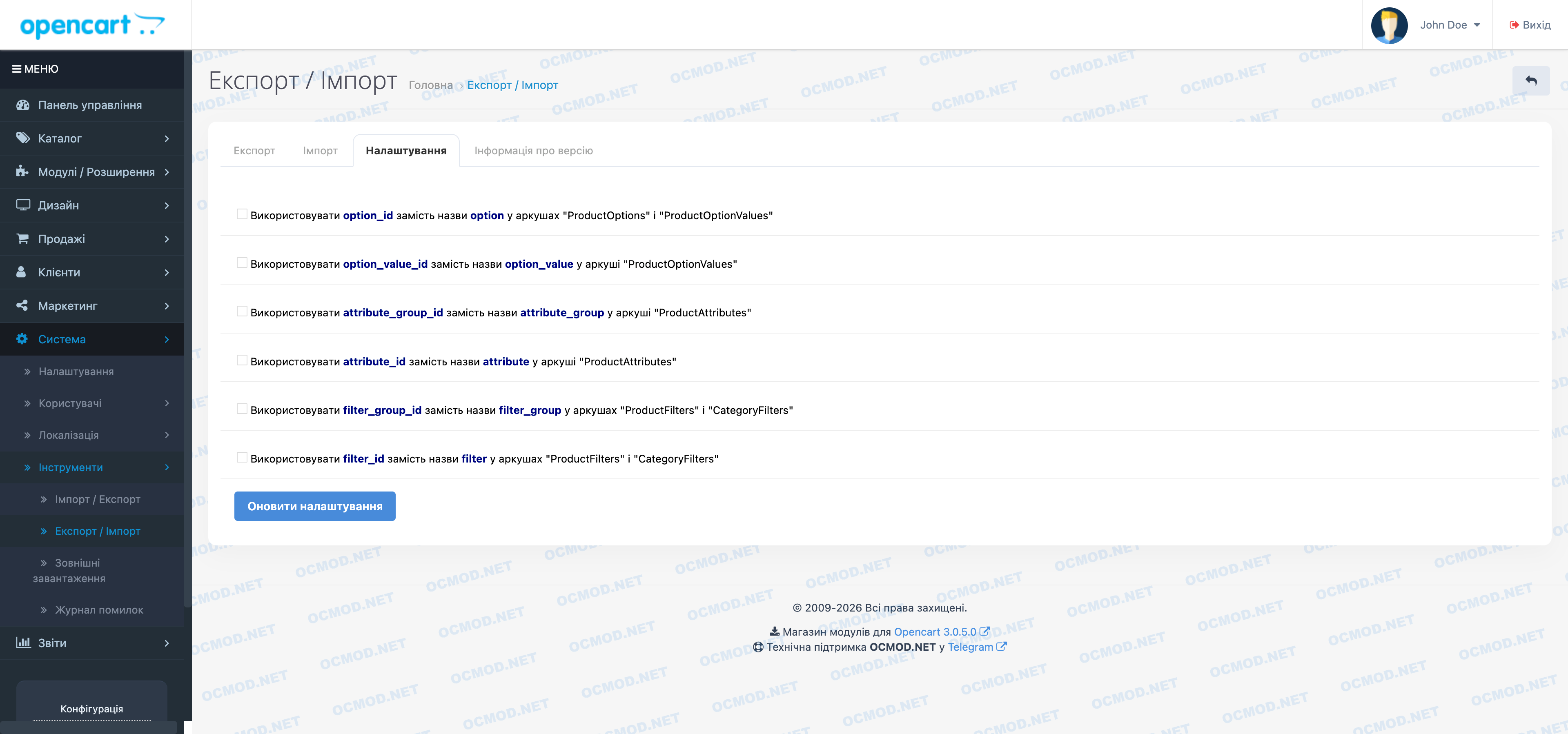
- Options and option values (Options / OptionValues), as well as product options (ProductOptions / ProductOptionValues).
- Attributes and attribute groups (Attributes / AttributeGroups), as well as product attributes (ProductAttributes).
- Filters and filter groups (Filters / FilterGroups), as well as filter bindings to products and categories (ProductFilters / CategoryFilters) - if your OpenCart version supports filters.
- Customers and Addresses - taking into account the specifics of fields in different engine versions.
Suitable forexportandimport tasks inOpenCart, bulk editingof products,categories,options,attributes,filters, as well as transferringSEOdata andcustomersviaXLSX/ODS.
Important: The module strictly checks sheet headers and the order of related tables (for example, products must appear before sheets with options/attributes). This is done to ensure predictable import.
Example of application
- Export products to XLSX.
- Edit the required fields in the table (e.g. prices, availability, descriptions, categories).
- Load the file back via import, choosing the appropriate mode (normal or incremental ).
Specification
Downloads 2
Install
Reviews
Other products in this category


OCMOD.NET is a platform with the best collections of modules and templates to expand the functionality of your online store on Opencart and OcStore.
Write to technical support

- OCMOD.NET © Copyright 2017-2026
Leave your review about this product