 English
 Язык
Язык Українська
Your shopping cart is empty!
You may also like

2.x, 3.x

2.x, 3.x

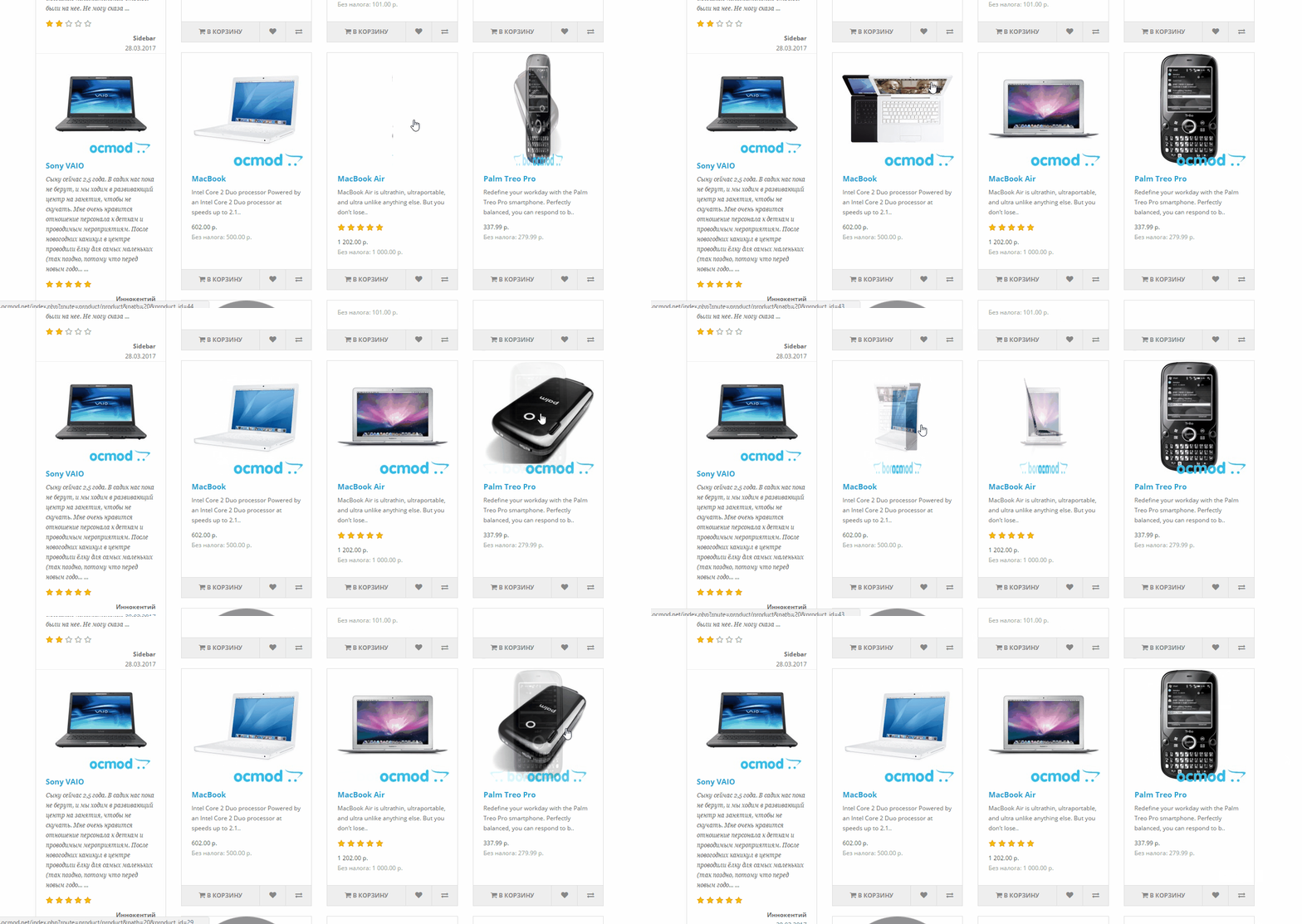
Additional Hover Photo for OpenCart

 Bonus +49 грн. to your account
| Characteristics | |
| OpenCart | 2.0, 2.1, 2.2, 2.3, 3.0 |
| PHP | 7.0 – 8.5 |
| XML modification | Yes |
| Localization | English, Ukrainian, Russian |
| Statistics | 18304 292 |
| Added | 31.03.2017 |
| Updated | 15.07.2025 · 12 months ago |
| Files | additional-image_oc3x.ocmod.zip |
| Files | additional-image-for_octemplates_oc3x.ocmod.zip |
| Files | additional-image-for_octemplates-deals_oc3x.ocmod.zip |
The "Additional Hover Photo" module makes product cards noticeably more "live": in categories, search, manufacturer, special offers, and standard storefront modules, a second photo of the product is displayed when hovering over the image. Shoppers see the product from a different angle without clicking or unnecessary steps, speeding up the selection process and increasing engagement.
Why do you need a module?
In catalogs featuring clothing, footwear, electronics, and any product where detail is important, a single image is often insufficient. This module adds a "flip/switch image" effect directly to product listings, helping:
- quickly show an alternative angle, color or product detail;
- reduce the number of unnecessary openings of "look closer" cards;
- Visually highlight products in the grid and list without heavy scripting.
Main functions
- Grabbing an additional image from the product gallery (the first available additional photo is taken).
- Automatically change templates so that the main image has a data-additional attribute with a link to the second image.
- Work in different places on the display case, not just in categories.
Where does it work?
The modification is integrated into standard OpenCart controllers and templates, so the effect appears immediately in popular sections:
- pages: category, search, manufacturer, promotions/special offers;
- modules: Featured, Latest, Special, Bestseller, Viewed.
Important: If the product doesn't have additional images, the module will work correctly—the effect simply won't appear, and the main image will remain as is.
An example of practical application
Clothing: the main photo is the front view, the secondary photo is the back view. The buyer hovers over the item in the category and immediately sees the second angle without opening the product page.
Equipment: the main photo shows the general appearance, the additional photo shows the connectors/equipment. This significantly reduces the number of "empty" transitions and speeds up the selection process.
| File Name | Added | Modified |
|---|---|---|
additional-image_oc20.ocmod.zip Size: 2.02 KB | 31.03.2017 | 16.05.2025 |
additional-image_oc21.ocmod.zip Size: 2 KB | 31.03.2017 | 13.09.2023 |
additional-image_oc22-23.ocmod.zip Size: 2.03 KB | 18.06.2018 | 30.12.2024 |
additional-image_oc3x.ocmod.zip Size: 2.04 KB | 22.05.2018 | 01.12.2023 |
additional-image-for_octemplates_oc3x.ocmod.zip Size: 2.14 KB | 25.09.2023 | 25.03.2024 |
additional-image-for_octemplates-deals_oc3x.ocmod.zip Size: 2.87 KB | 15.07.2025 | 15.07.2025 |
AI Assistant
Recently viewed
2.x, 3.x

Featured


OCMOD.NET is a platform with the best collections of modules and templates to expand the functionality of your online store on Opencart and OcStore.
Write to technical support

- OCMOD.NET © Copyright 2017-2026


Leave your review about this product