 English
 Язык
Язык Українська
Your shopping cart is empty!
You may also like

2.x, 3.x

2.x, 3.x

Export Products to Rozetka OpenCart


 Bonus +49 грн. to your account
| Characteristics | |
| OpenCart | 2.0, 2.1, 2.2, 2.3, 3.0 |
| PHP | 7.0 – 8.5 |
| XML modification | No |
| Localization | English, Ukrainian, Russian |
| Additional | requires LocalCopy |
| Statistics | 26896 577 |
| Added | 08.08.2018 |
| Updated | 04.05.2026 · 2 months ago |
| Files | rozetka_oc3x.ocmod.zip |
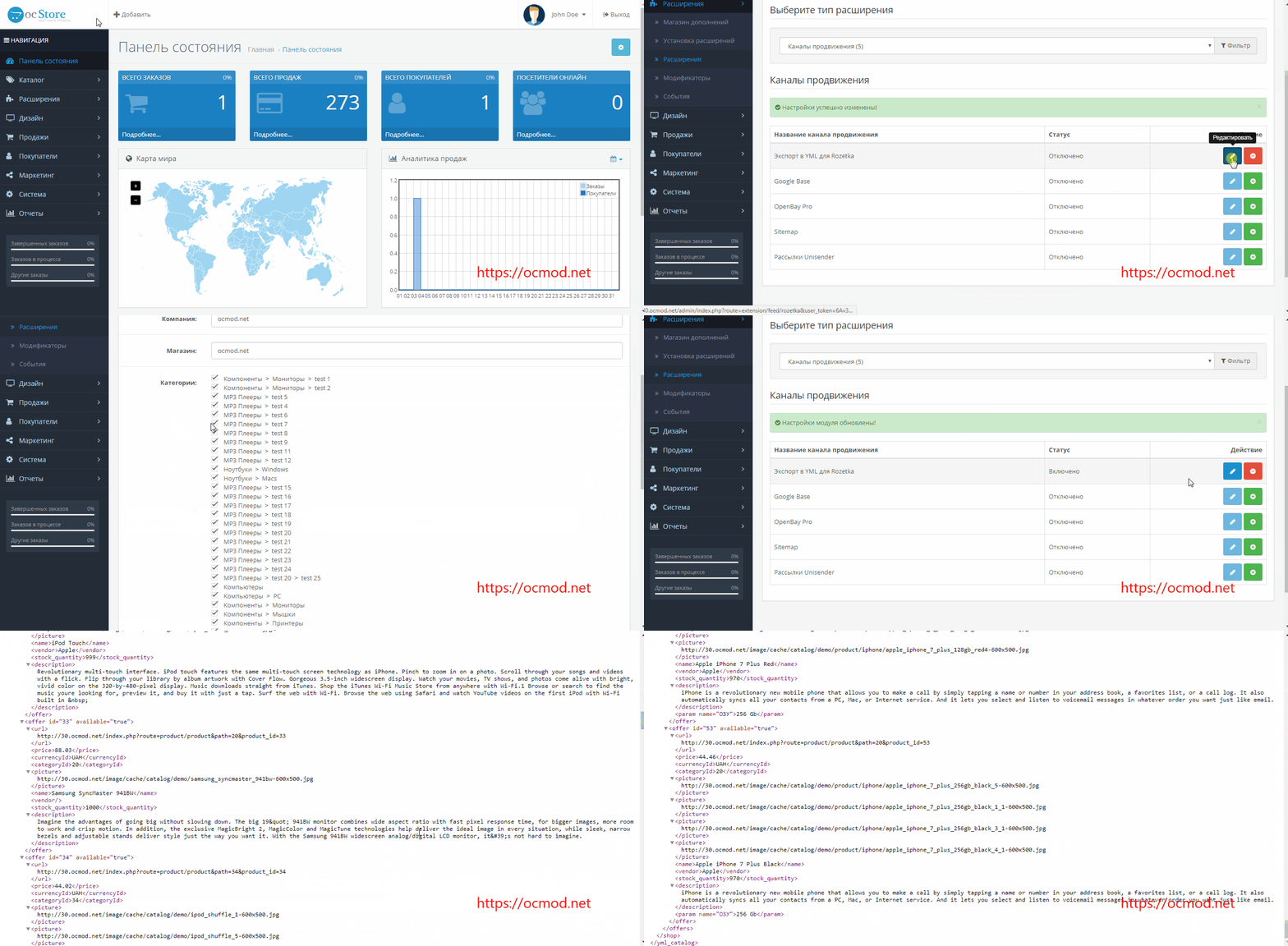
Product export to Rozetka for OpenCart generates a YML feed containing selected categories, prices, stock levels, photos, and characteristics. The XML feed for Rozetka is configured directly from the OpenCart admin panel without the need to build the file manually.
The Rozetka feed is generated on the fly and is always up to date
On the settings page, the administrator can see the price list URL for the export, as well as status and field toggles that modify the feed contents. The feed link is saved in the Rozetka seller dashboard, and the marketplace then fetches the latest version according to its schedule.
XML Features for Rozetka
- selection of required categories;
- selection of required manufacturers;
- exports the discounted price as the main price and the original price as the old price;
- exports stock levels, availability status, SKU, model, and description;
- adds product characteristics;
- adds product options if they are in stock;
- exports the main photo or all images (up to 9 additional photos);
- percentage markup, for example, +10% to the price (or a fixed markup if you need to add a flat amount to all items on Rozetka);
- "in stock" and "out of stock" statuses;
- 600x600 photo size or original images from the product page;
- sales_notes string, for example, to display "minimum order amount" text on Rozetka product pages.
Important: if no categories are selected, an empty feed is generated, and the product export to Rozetka will not run.
Setting up product export to Rozetka:
- In the admin panel, go to Extensions -> Feeds and install the Export to YML for Rozetka module.
- In the module settings, set the status to Enabled, enter the Store Name and Company, select the categories for export, choose the image size, and save the settings.
- Verify the module operation using the link provided in the settings.
| File Name | Added | Modified |
|---|---|---|
rozetka_oc20-21.ocmod.zip Size: 13.96 KB | 08.08.2018 | 24.02.2024 |
rozetka_oc22.ocmod.zip Size: 13.95 KB | 08.08.2018 | 09.10.2025 |
rozetka_oc23.ocmod.zip Size: 17.03 KB | 08.08.2018 | 31.05.2024 |
rozetka_oc3x.ocmod.zip Size: 44.51 KB | 08.08.2018 | 04.05.2026 |
AI Assistant
Recently viewed
2.x, 3.x

Featured


OCMOD.NET is a platform with the best collections of modules and templates to expand the functionality of your online store on Opencart and OcStore.
Write to technical support

- OCMOD.NET © Copyright 2017-2026


Leave your review about this product