 English
 Язык
Язык Українська
Your shopping cart is empty!
You may also like

2.x, 3.x

2.x, 3.x

Categories in manufacturers, promotions and search for OpenCart
 Bonus +49 грн. to your account
| Characteristics | |
| OpenCart | 2.0, 2.1, 2.2, 2.3, 3.0 |
| PHP | 7.0 – 8.5 |
| XML modification | Yes |
| Localization | English, Ukrainian, Russian |
| Statistics | 6993 93 |
| Added | 26.12.2022 |
| Updated | 19.03.2026 · 5 months ago |
| Files | categories-pages_oc3x.ocmod.zip |
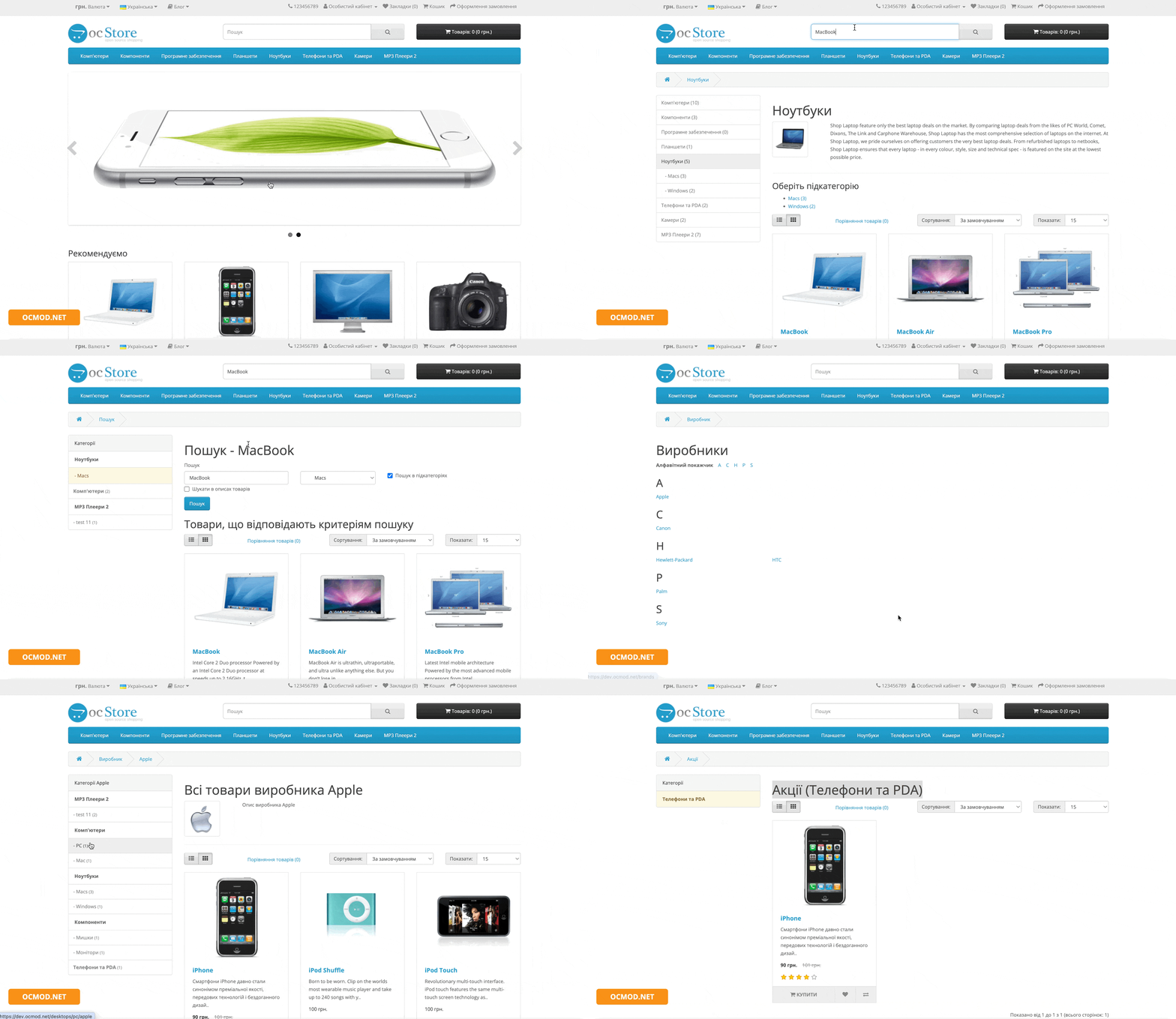
The "Categories in Manufacturers, Promotions, and Search" module adds something to your OpenCart store that's often missing out of the box: convenient category navigation directly on manufacturer pages, in the Promotions section, and in the search. Customers don't just see a list of products—they can quickly narrow their selection to the desired catalog section without losing context.
Why do you need a module?
When a brand has hundreds of products and dozens of discount pages in "Promotions," it's difficult for users to navigate. The module displays a neat list of categories (with subcategories and product counters) and allows filtering with a single click.
Result: fewer unnecessary clicks, faster product search, higher conversion on "complex" pages—manufacturers, promotions, and search results.
Where does it work?
- manufacturer page ( product/manufacturer ) - with filtering by category via filter_category_id;
- promotions page ( product/special ) – select a category for special offers;
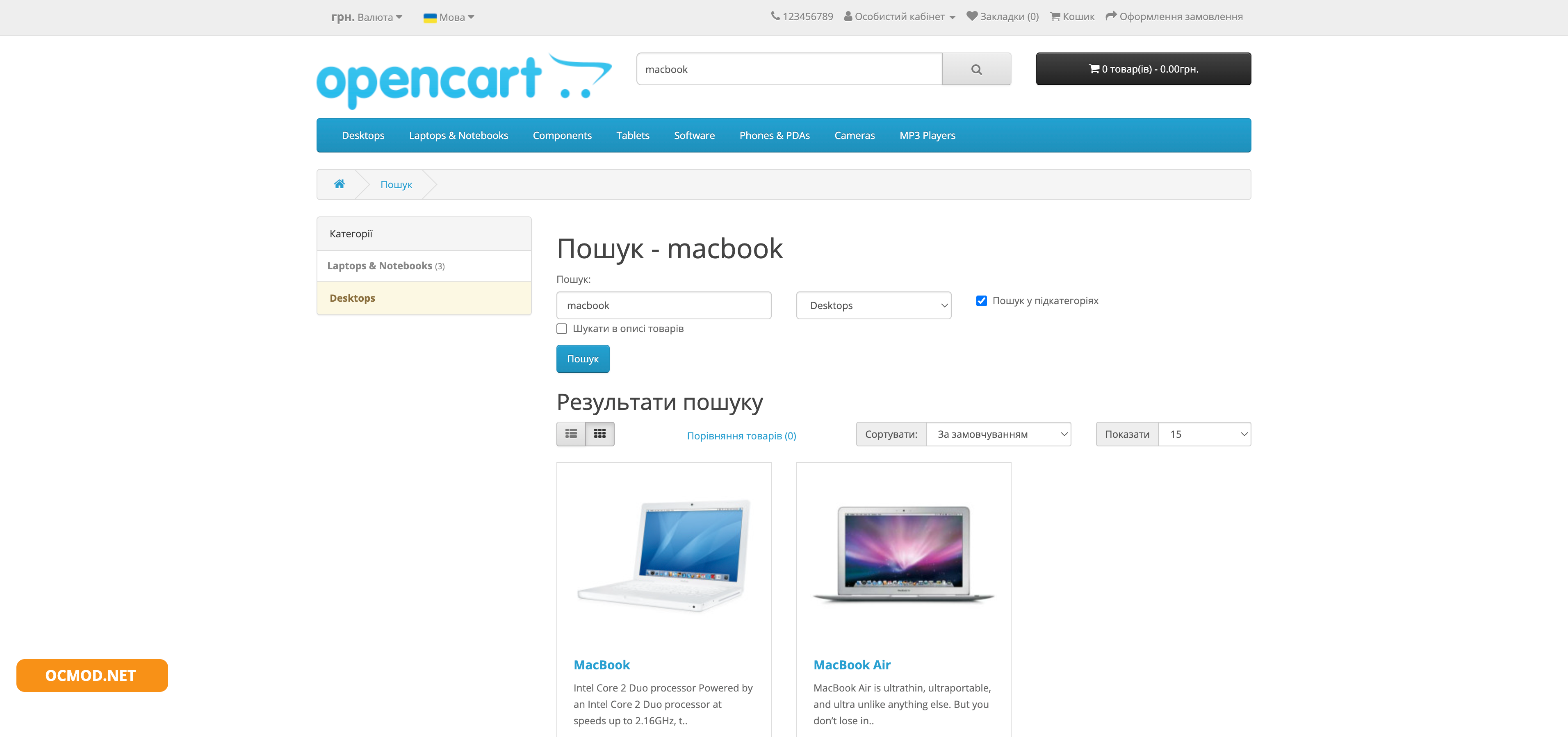
- Search page ( product/search ) - categories that match the current query.
Main functions
- Building a list of categories based on actual product results (by manufacturer, promotions, or search).
- Support for subcategories (second level) with visual indentation and separate output.
- Product counters next to categories (optional): you can see where the selection is wider.
- Hiding "unnecessary" categories
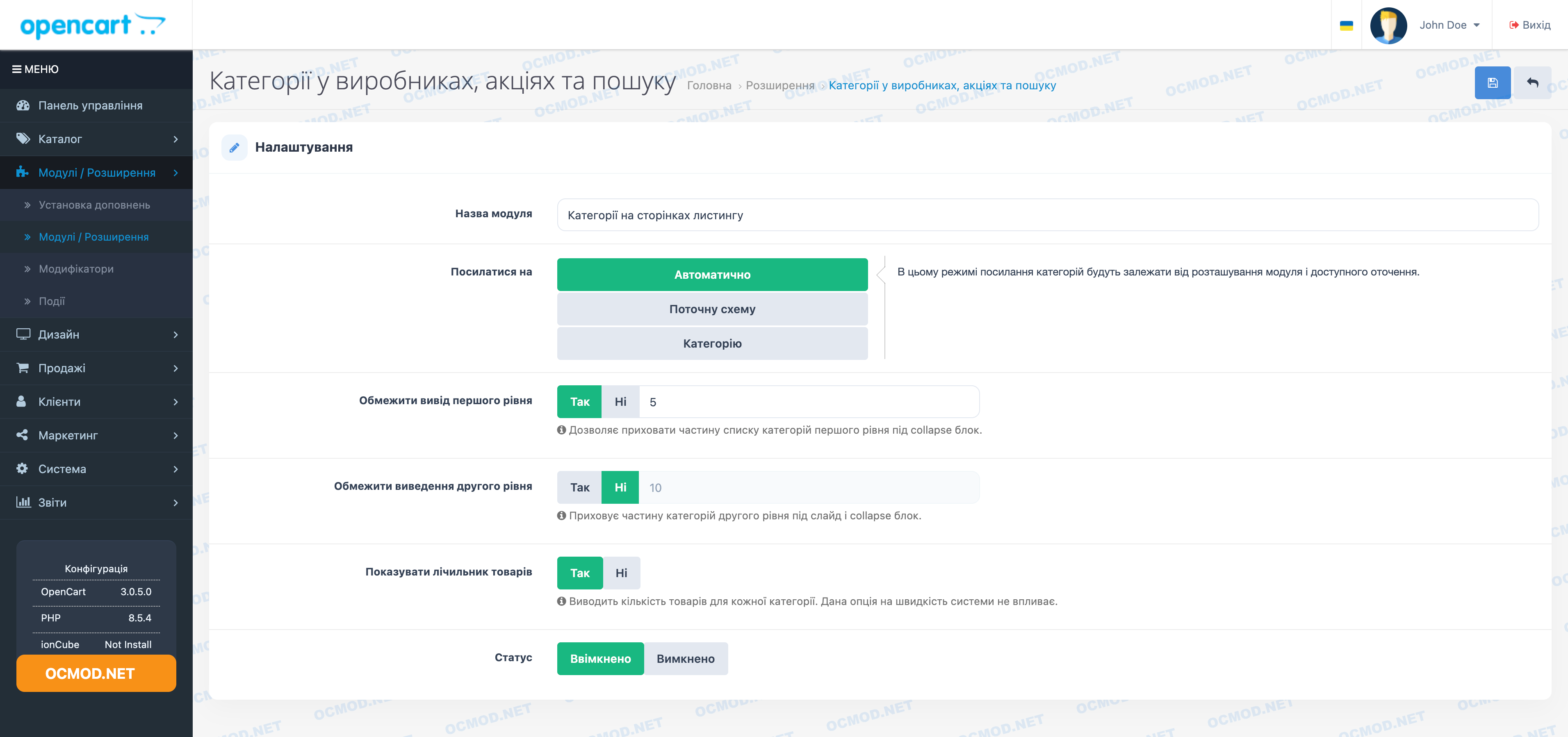
- first level - hides in the collapse block "Show more";
- The second level can be collapsed using carousel + collapse to prevent the list from becoming a "sheet".
- Smart Links (Custom Behavior):
- Automatically - depends on where the module is located;
- Current scheme - links lead to the current page with the necessary GET parameters (for example, manufacturer + category);
- Category - if possible, leads to the category page, preserving the parameters (for promotions/searches, a "to yourself" transition is available).
- Mobile version support – a separate mobile menu panel is displayed, which is neatly transferred to the desired location on the page.
What data is taken into account?
The module generates categories not "for the store as a whole," but based on actual product samples. The module uses:
- linking products to categories ( product_to_category );
- manufacturer's products ( manufacturer_id );
- products on sale ( product_special ) with check of activity dates;
- The search query by name, model, SKU and (optionally) description is taken into account;
- store and language restrictions ( store_id, language_id );
- status and availability of the product ( status, date_available ).
Benefits for the store
- Faster navigation in "heavy" sections: manufacturers, promotions, search.
- Cleaner interface by collapsing long lists of categories.
- Clear structure the buyer can see which sections contain products relevant to the current context.
- SEO behavioral factors are improved - more clicks on relevant sections, fewer backtracking.
- Caching of category selection results - the module does not "query" the same thing from the database each time it is opened.
Recommendations for use
The module is best deployed in stores with a wide selection and active promotions:
- Place the module in the sidebar on the manufacturer and promotions pages—this is the most common location for a category filter.
- Enable product counters if it's important for customers to understand where the selection is. This is especially useful for brands with a wide product line.
- Set up hiding limits:
- for the first level - so as not to take up half the screen with a list;
- for the second level - so that subcategories do not overload the page.
Sample script
A user visits a brand's page and sees dozens of products. With the module, they select the "Sneakers" category and immediately see results for that category, without having to navigate to the general catalog or lose track of the manufacturer. Similarly, with "Promotions," you can display discounts only for a specific category—for example, "Smartphones."
| File Name | Added | Modified |
|---|---|---|
categories-pages_oc20-22.ocmod.zip Size: 30.73 KB | 26.12.2022 | 23.04.2023 |
categories-pages_oc23.ocmod.zip Size: 26.27 KB | 26.12.2022 | 23.04.2023 |
categories-pages_oc3x.ocmod.zip Size: 36.6 KB | 26.12.2022 | 19.03.2026 |
AI Assistant
Recently viewed

Featured


OCMOD.NET is a platform with the best collections of modules and templates to expand the functionality of your online store on Opencart and OcStore.
Write to technical support

- OCMOD.NET © Copyright 2017-2026


Leave your review about this product