 English
 Язык
Язык Українська
Your shopping cart is empty!
You may also like

2.x, 3.x

2.x, 3.x

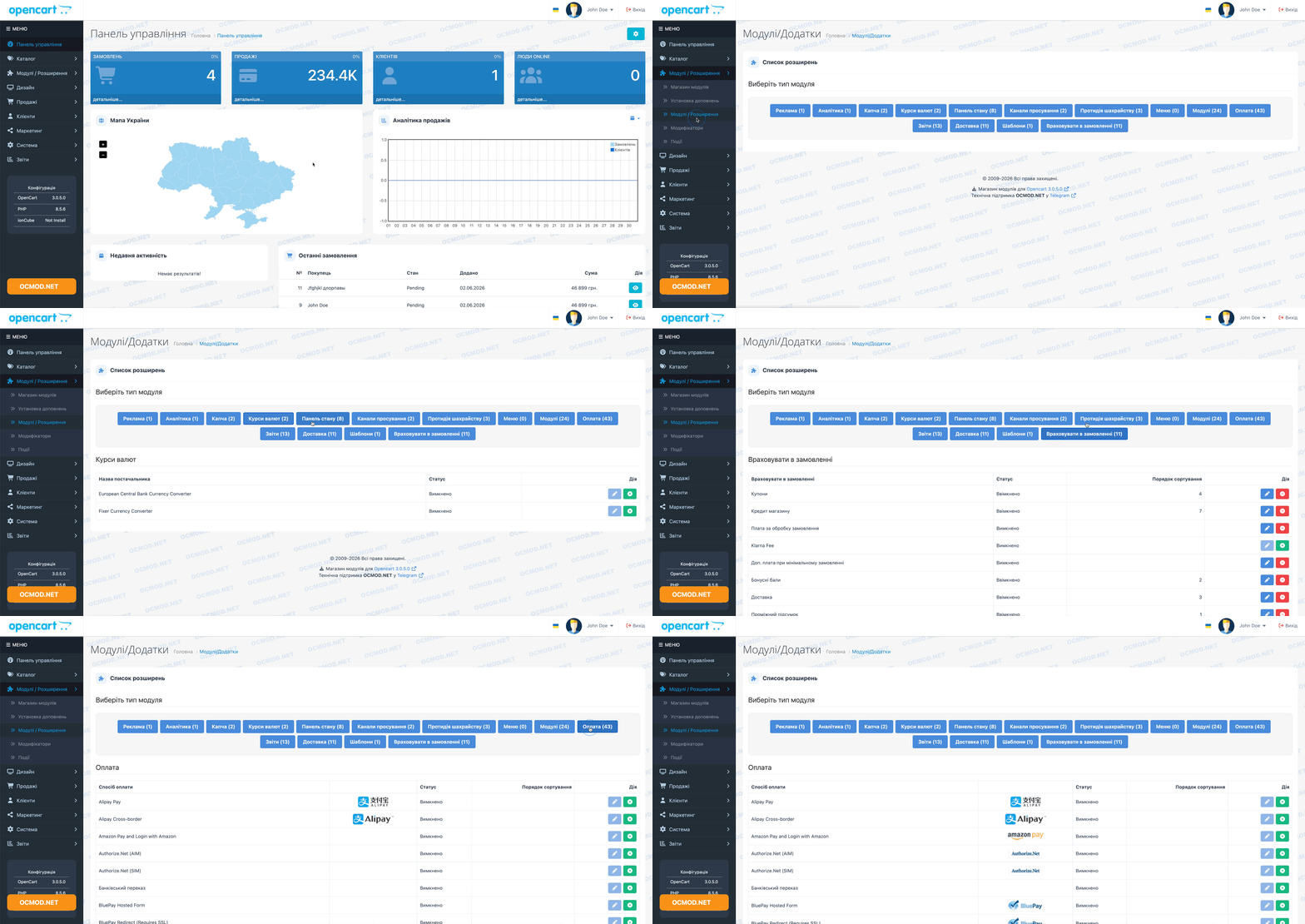
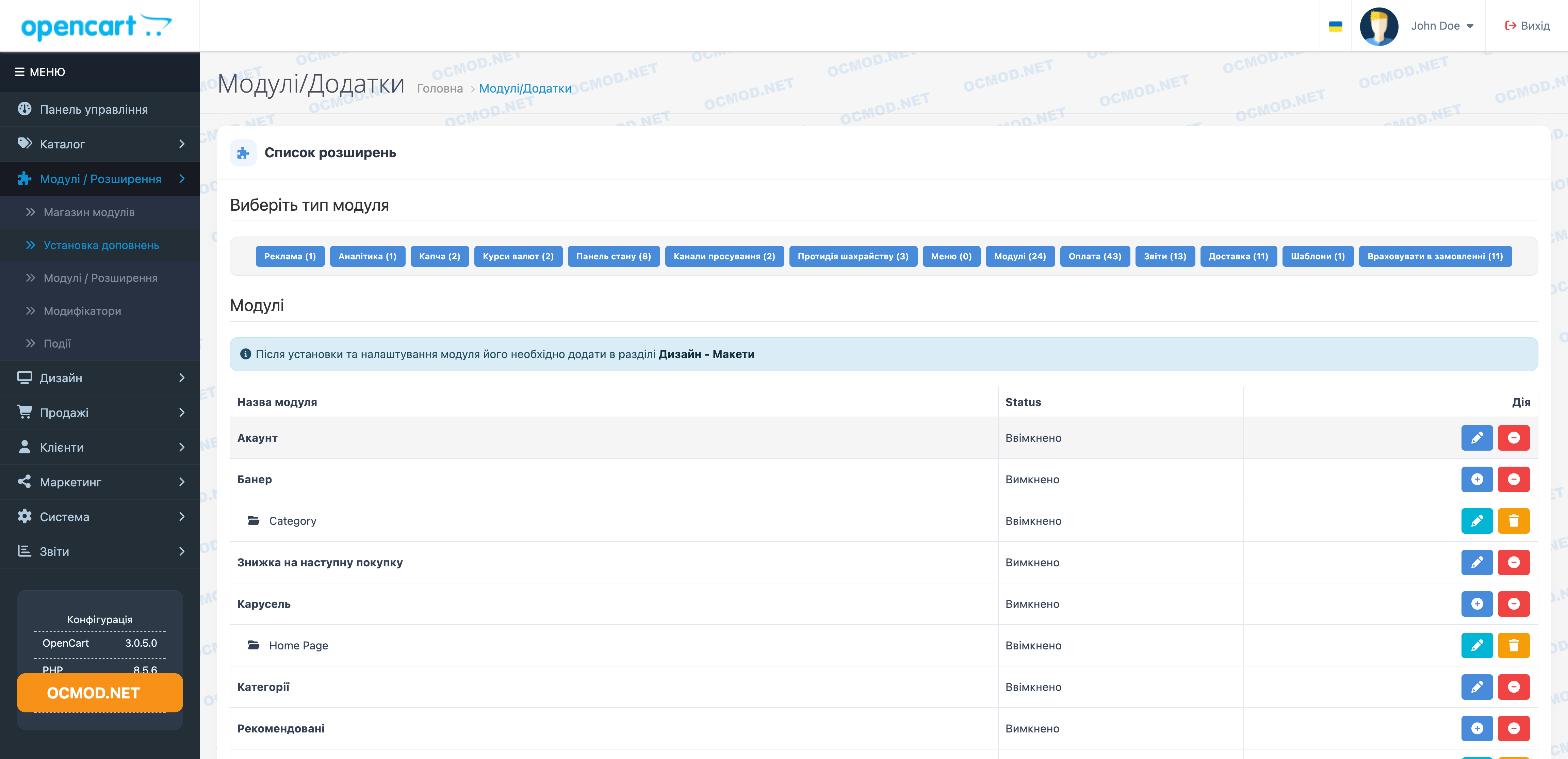
Selecting a module type by clicking the OpenCart button
 Get bonus +100 грн. for your review
| Characteristics | |
| OpenCart | 2.3, 3.0 |
| XML modification | Yes |
| Localization | English, Ukrainian, Russian |
| Statistics | 1 19245 605 |
| Added | 26.10.2017 |
| Updated | 02.06.2026 · 1 months ago |
| Files | extension-type_oc3x.ocmod.zip |
This module modifies the extensions page in the OpenCart admin panel: it replaces the standard dropdown list with convenient buttons for each extension type.
Buttons Instead of a Dropdown
The Modules, Payments, Shipping, and other sections now open in a single click, eliminating the need to scroll through a long dropdown menu.
Quick Switching Between Extension Types
- Displays extension types as clear, clickable buttons.
- Highlights the currently active section for better visual guidance.
- Loads the selected extension list instantly without reloading the page.
Highly recommended: Ideal for online stores where administrators frequently configure or manage various extensions.
After installation, the page retains its familiar styling, but navigating between different extension categories becomes noticeably faster and more efficient.
AI Assistant
Recently viewed

Featured




OCMOD.NET is a platform with the best collections of modules and templates to expand the functionality of your online store on Opencart and OcStore.
Write to technical support

- OCMOD.NET © Copyright 2017-2026


Leave your review about this product