 English
 Язык
Язык Українська
Your shopping cart is empty!
You may also like

2.x, 3.x

2.x, 3.x

Date Delivery for OpenCart

 Bonus +49 грн. to your account
| Characteristics | |
| OpenCart | 2.3, 3.0 |
| PHP | 7.0 – 8.5 |
| XML modification | Yes |
| Localization | English, Ukrainian, Russian |
| Statistics | 1 661 6 |
| Added | 23.03.2026 |
| Updated | 23.03.2026 · 4 months ago |
| Files | date-delivery_oc3x.ocmod.zip |
The Product Delivery Date module adds clear and visual delivery time information to your OpenCart: instead of seeing vague "1-3 days," customers see a specific date, such as " Delivery by: March 23, 2026. " This helps customers make purchasing decisions faster and reduces the number of support questions.
Purpose of the module
The main goal is to display the estimated delivery date on the product page and in product lists (category, search, manufacturer, promotions, as well as modules: recommended/new/hits, etc.). The date is calculated automatically: the number of delivery days for the product is taken into account, and if it is not specified, the general value from the store settings is used.
Key Features
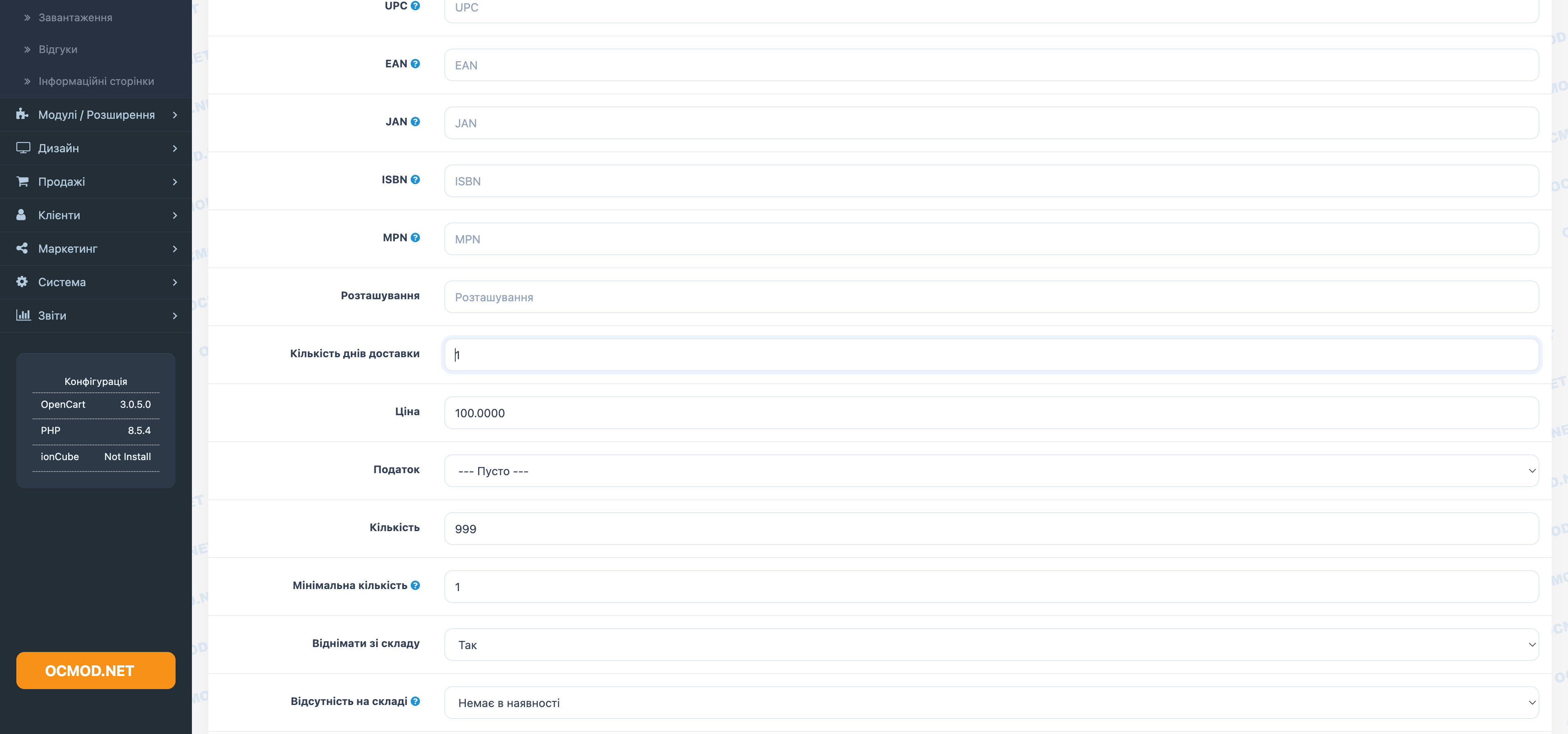
- The “Number of delivery days” field in the product card (admin panel) allows you to set a custom delivery time.
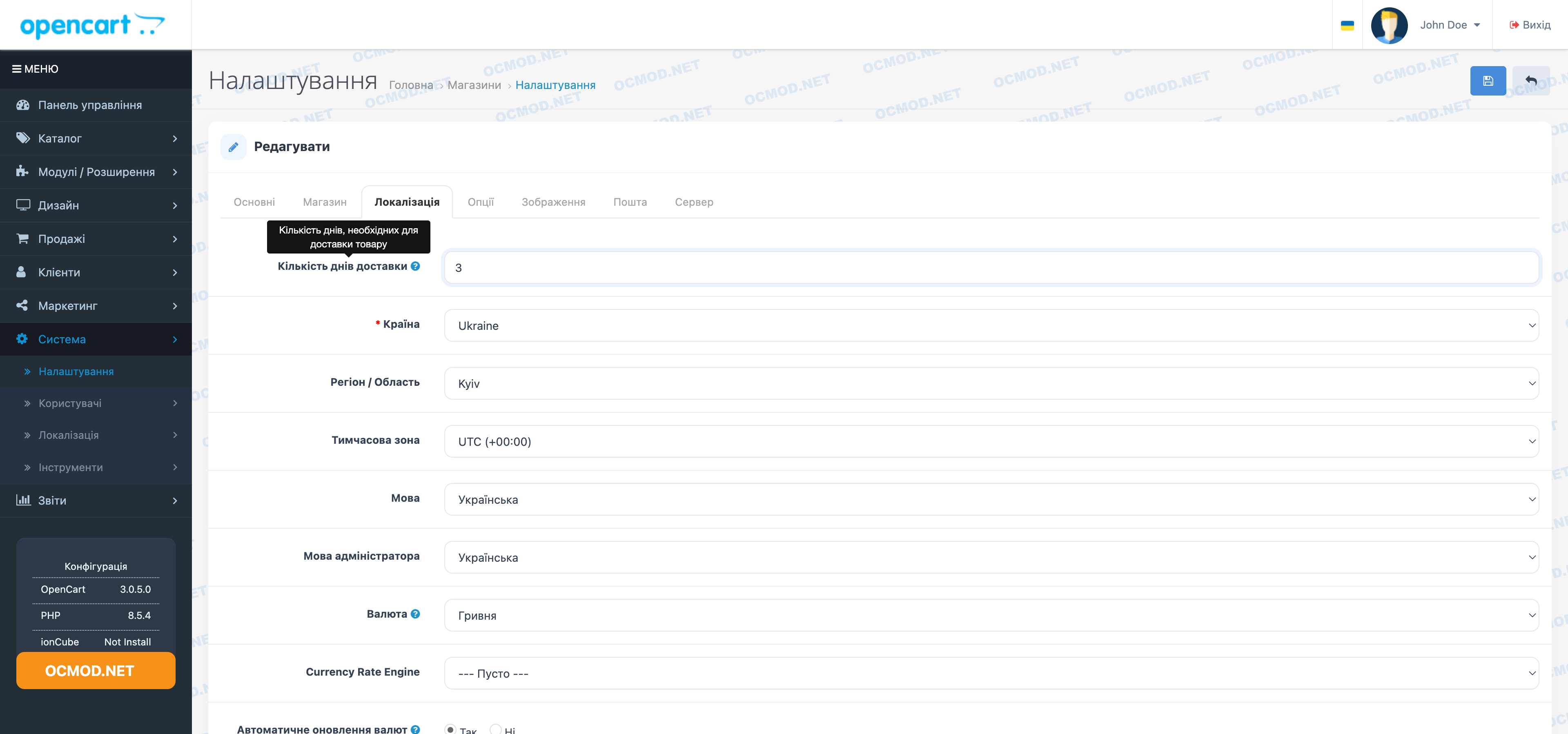
- Global setting for the number of delivery days in the store settings - as the "default" value.
- Automatic calculation of the date “today + N days” and display on the storefront.
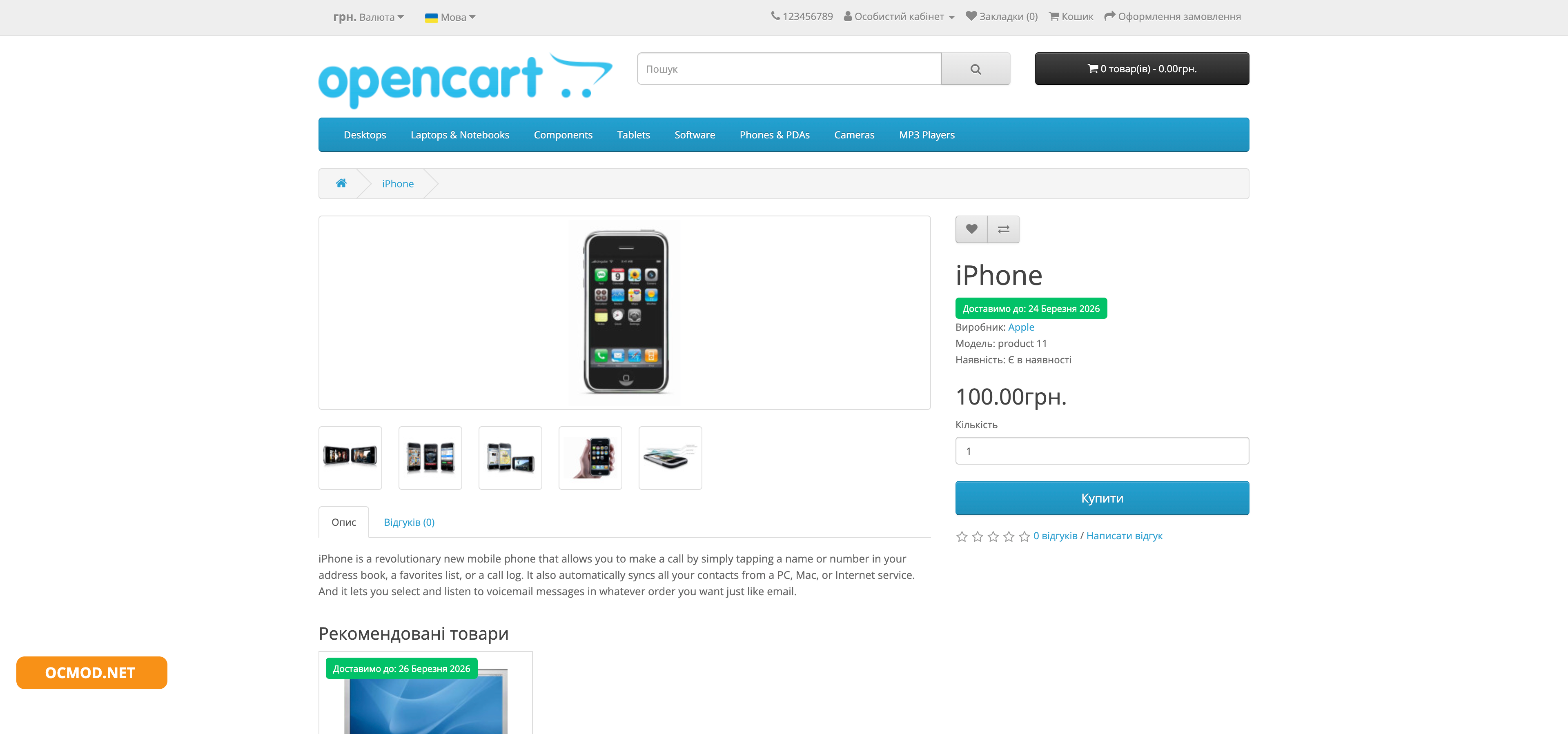
- Display of the label in product tiles/lists and a separate label on the product page.
What it looks like on display
The module adds a neat label next to the product:
- in categories, search, from the manufacturer, in “Promotions” - on top of the product image;
- On the product page - a separate block under the title.
The calculation logic is simple: if a product has a "delivery days" value greater than 0, we display it. If not, we use the value from the store settings. If it is also 0, the label is not displayed.
Recommendations for use
To ensure the module works as efficiently as possible, use the following simple practices:
- Set a general timeframe in your store settings (e.g. 5 days) – this will be your “Plan B” for items without a specific value.
- For popular items, specify individual deadlines (for example, 1–2 days) – this significantly increases conversion.
- If an item is temporarily unavailable for express delivery, increase the number of days instead of removing the information completely.
Example
You've set the store's expiration date to 5 days. For the "Smartphone X" product card, you've specified 2 days. Then:
- “Smartphone X” will show “Delivery to:” + date in 2 days;
- All other products, regardless of value, will show the date after 5 days.
| File Name | Added | Modified |
|---|---|---|
date-delivery_oc23.ocmod.zip Size: 7.53 KB | 23.03.2026 | 23.03.2026 |
date-delivery_oc3x.ocmod.zip Size: 7.44 KB | 23.03.2026 | 23.03.2026 |
AI Assistant
Recently viewed
2.3, 3.x

Featured


OCMOD.NET is a platform with the best collections of modules and templates to expand the functionality of your online store on Opencart and OcStore.
Write to technical support

- OCMOD.NET © Copyright 2017-2026


Leave your review about this product